
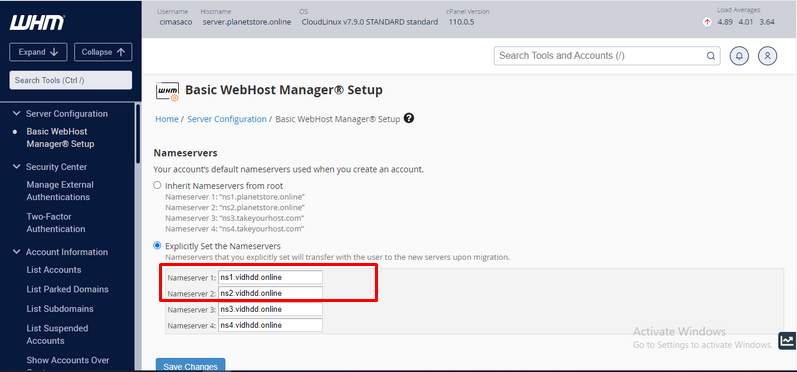
1- Add values in WHM
2-Add values in the domain provider (domain control panel)
namecheap
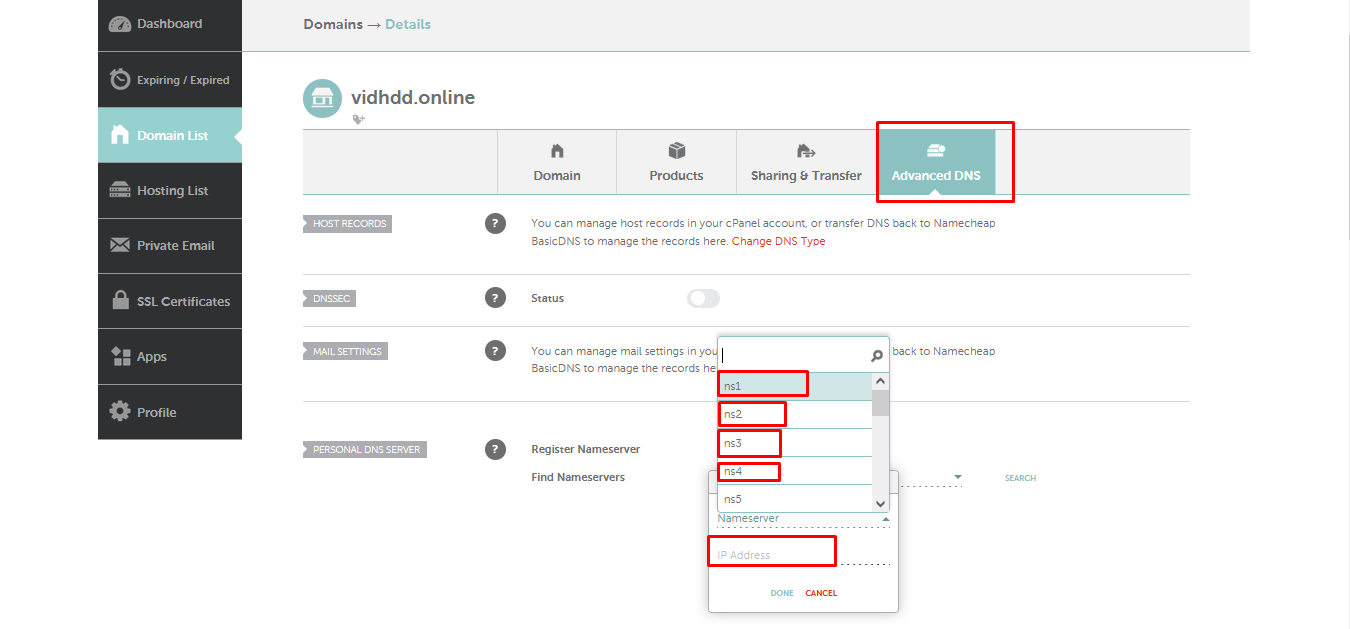
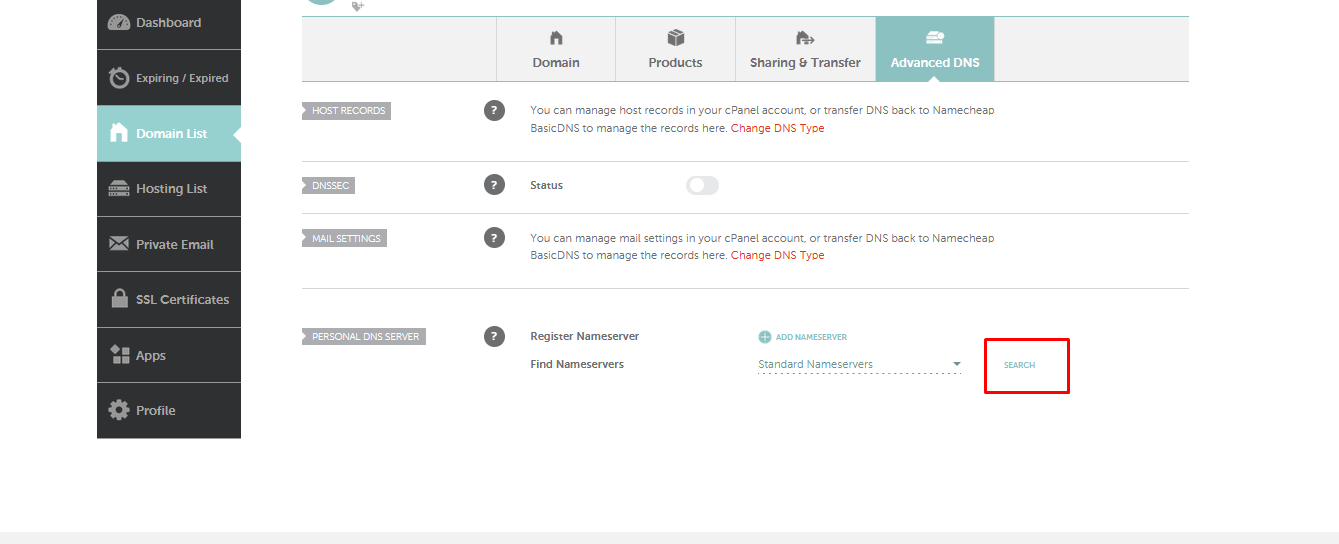
Godaddy
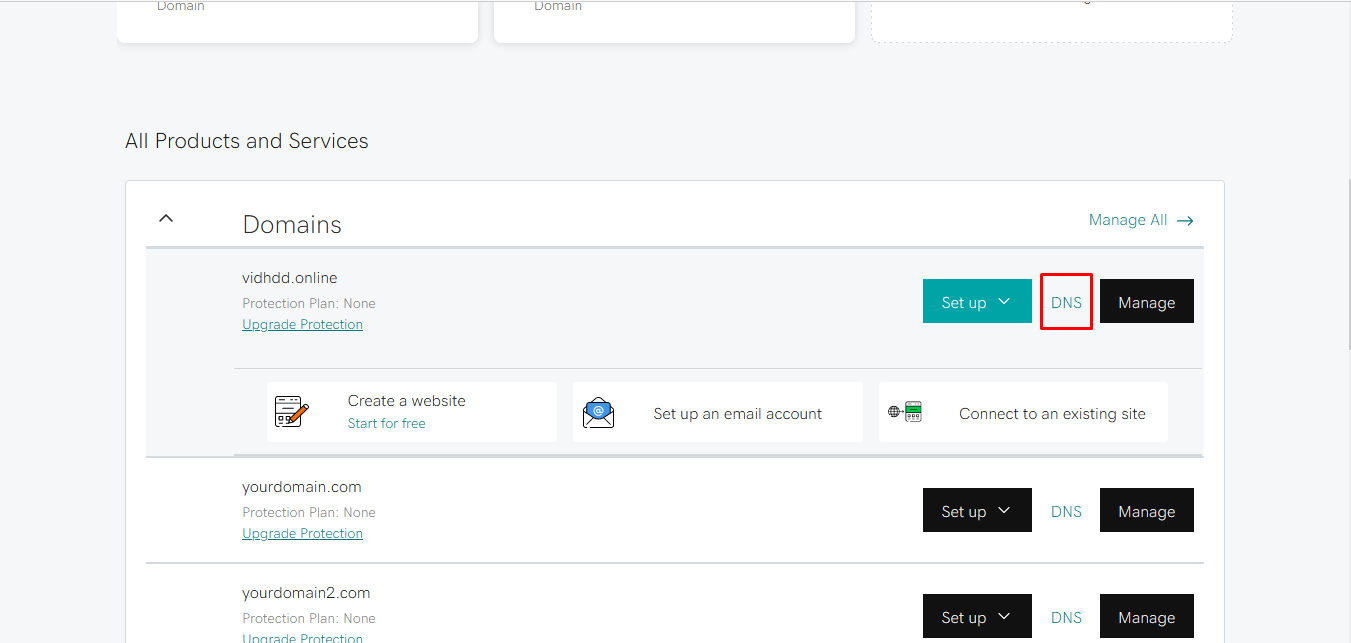
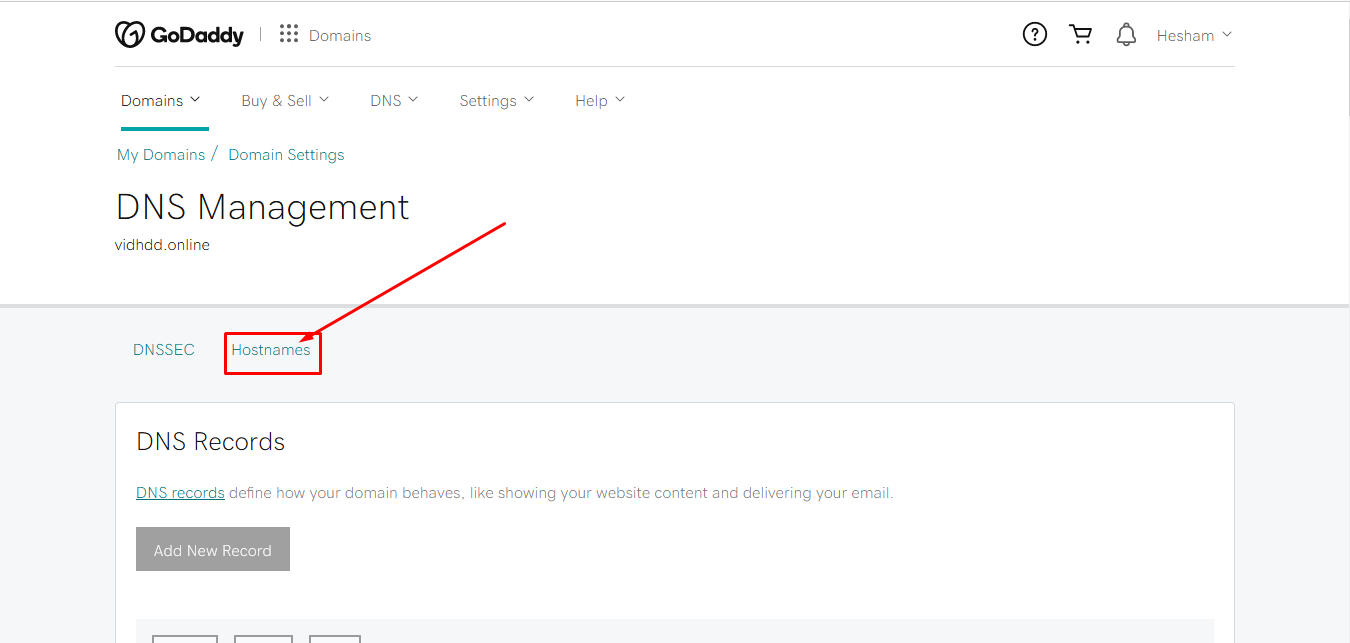
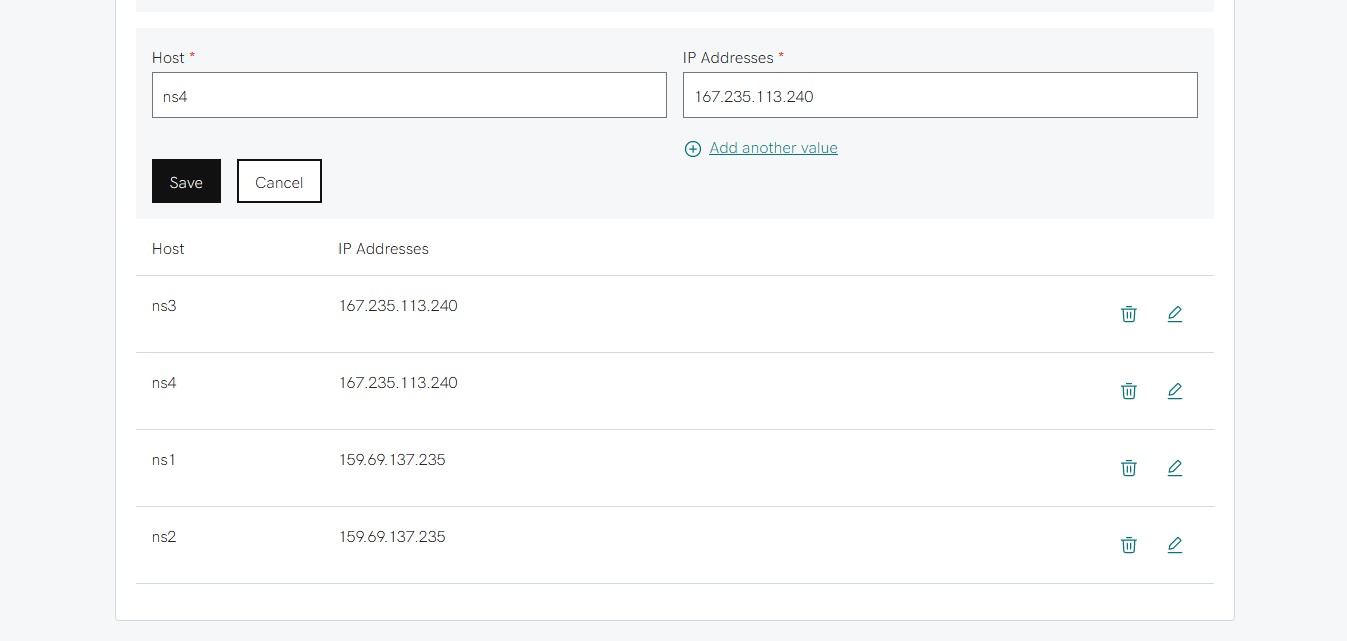
Take Your Host
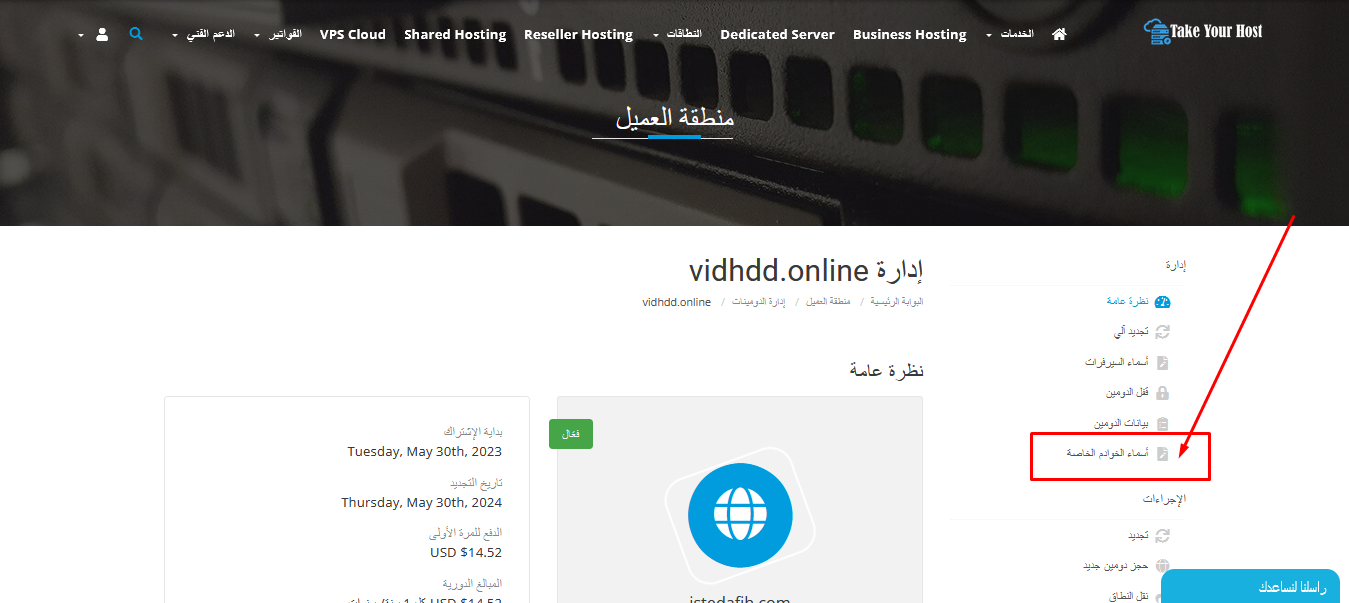
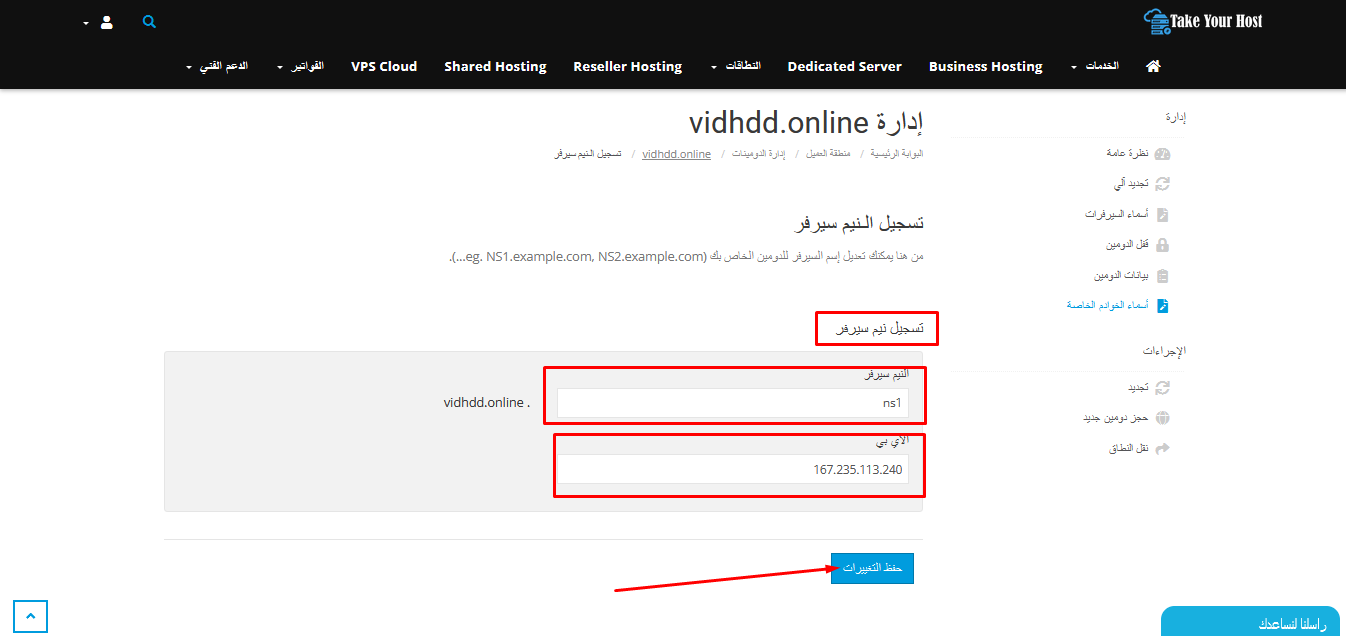
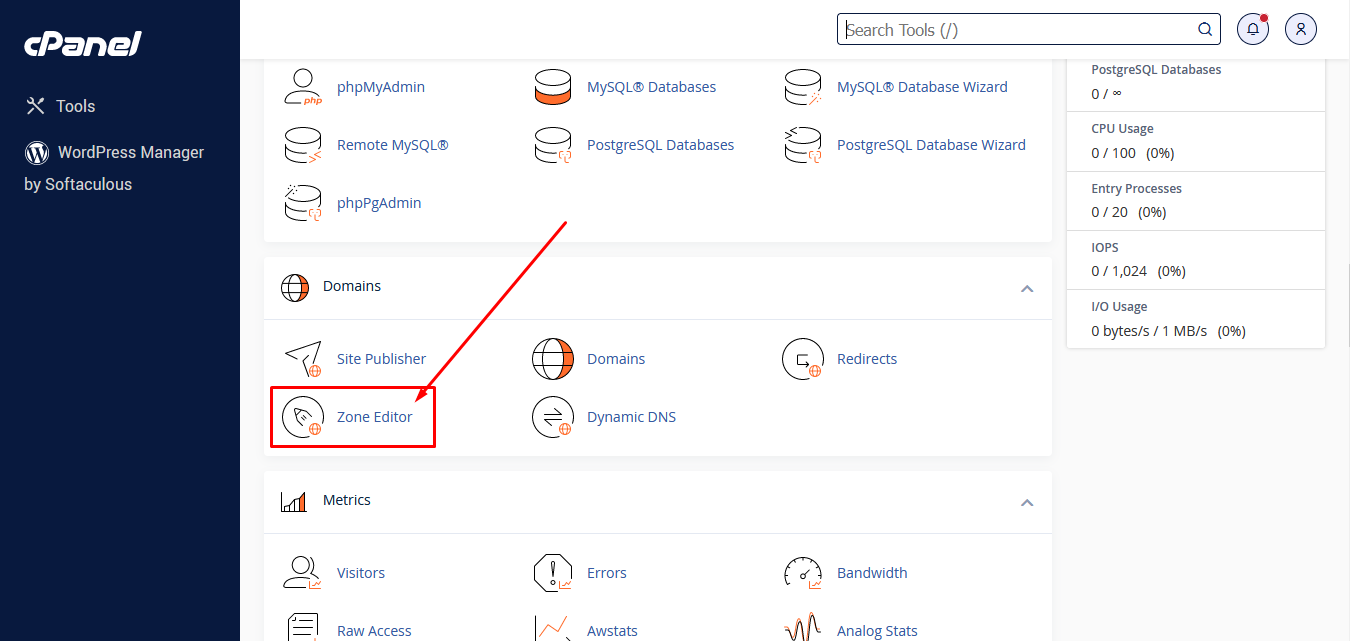
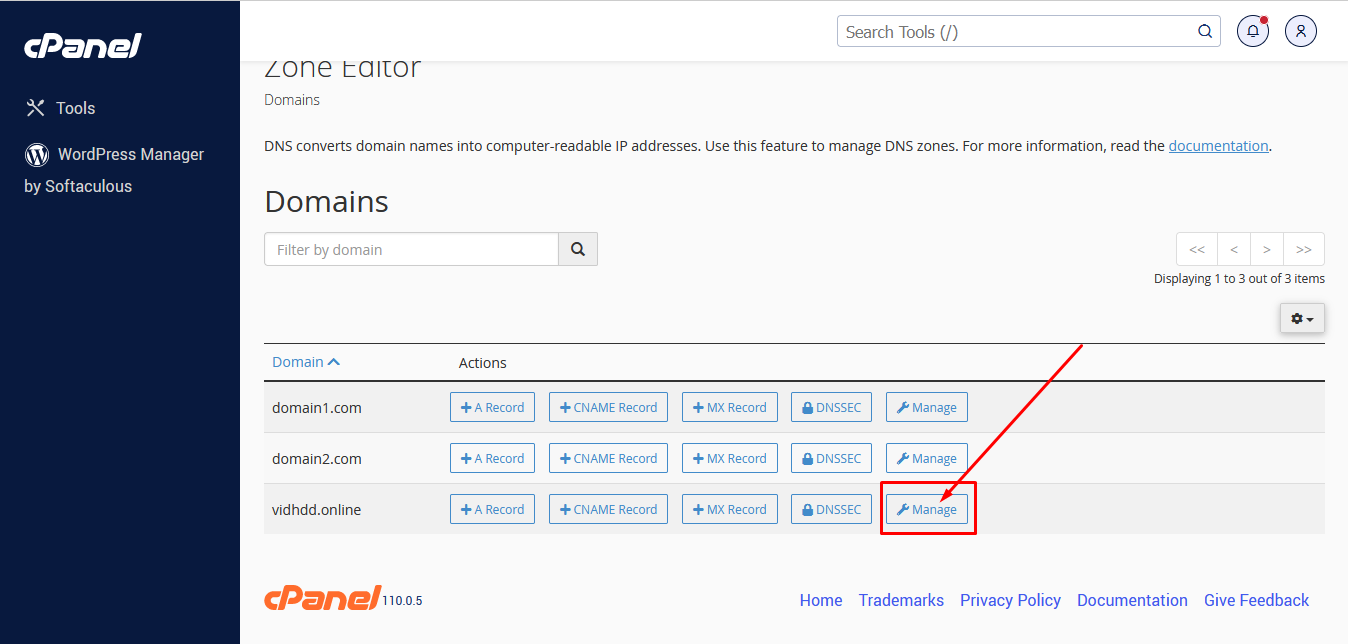
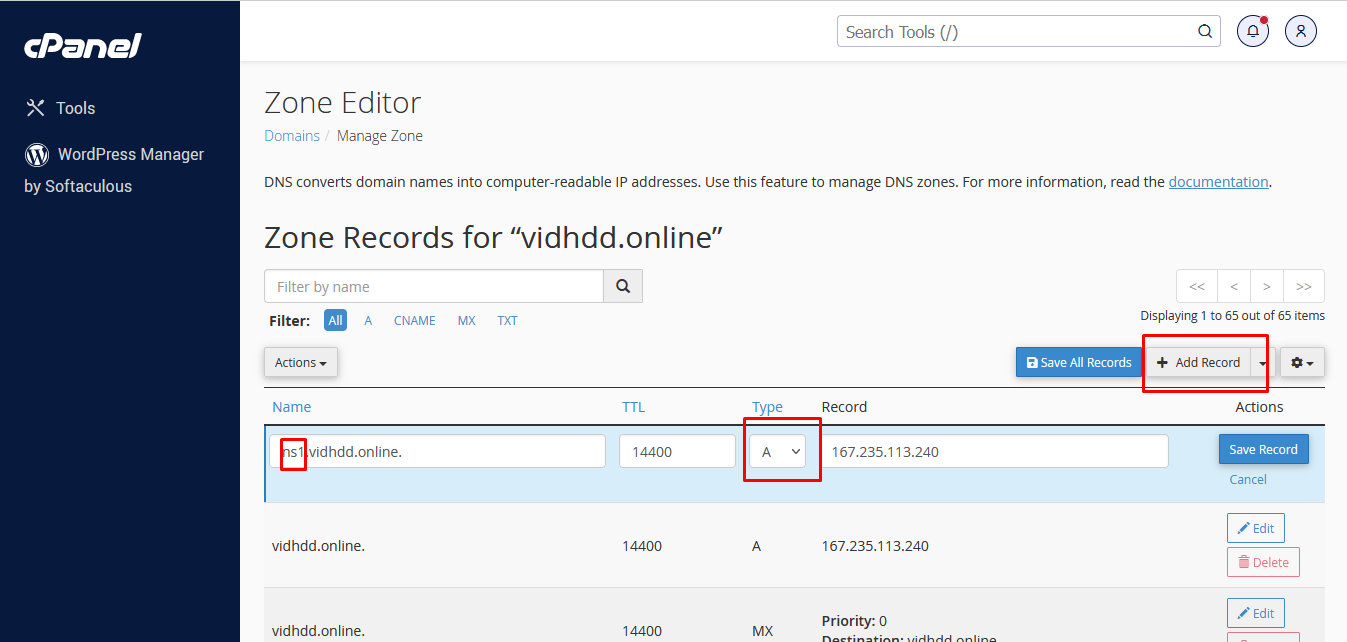
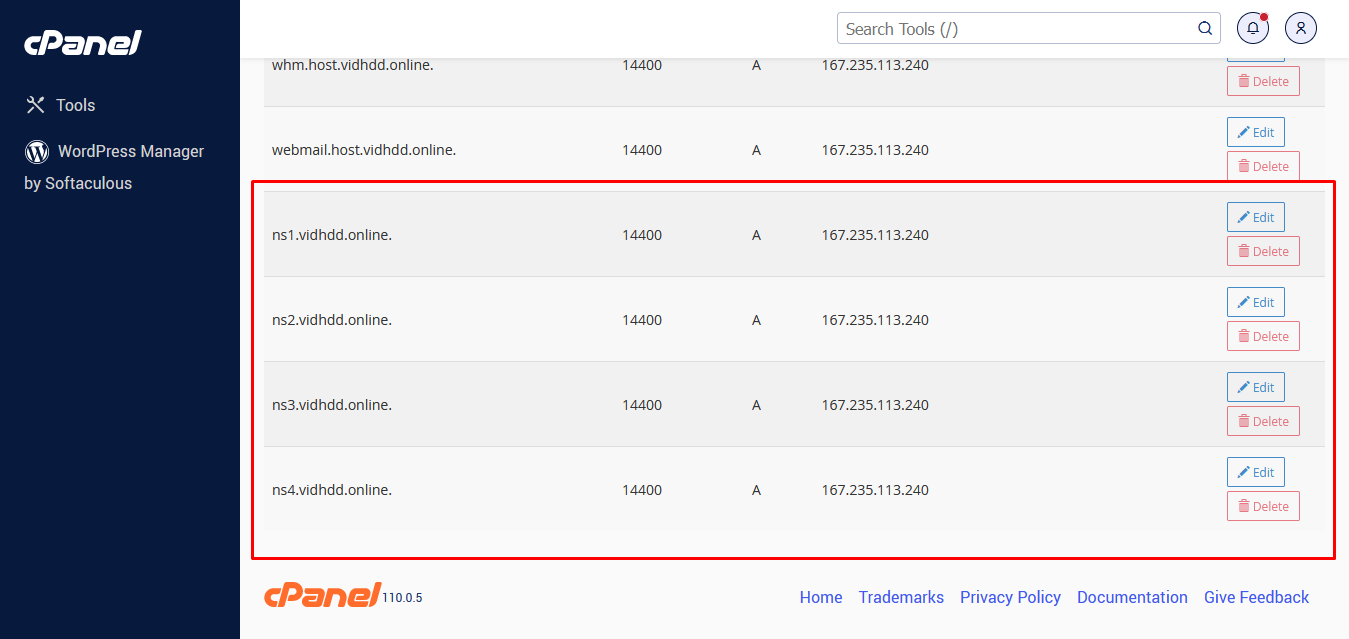
3- Adding the values in the cPanel account for the domain
The original published text is retained in its source language. This is not a newly approved policy or a legal translation.
1- Add values in WHM
2-Add values in the domain provider (domain control panel)
namecheap
Godaddy
Take Your Host
3- Adding the values in the cPanel account for the domain
Browse plans, search domains, pay invoices securely, launch cPanel SSO in one tap, manage Cloud VPS & Dedicated servers, and chat live 24/7 with real-time push alerts.

If you end the chat, the current conversation will be closed and a new empty chat will start.
