Skip to content

How to Remove Email Spam Filters in DirectAdmin Print

  • 0

You can remove email filters from your DirectAdmin account.


1. Log in to your DirectAdmin Account.


2. In the E-mail Manager section, click on SPAM Filters or type SPAM Filters in the navigation filter box, and the option will appear. Click on it.
da-spamfilters-icon.gif


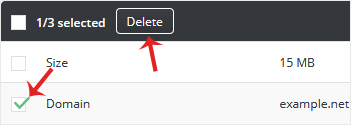
3. Under Block By, choose the filters you want to remove.
da-remove-emailfilter.gif


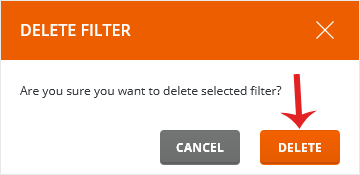
4. Click on Delete. It will prompt for confirmation. Click on Delete again.
da-filterremove-confirmation.gif


Your selected email filters will be successfully removed.


Was this answer helpful?

« Back

Take Your Host

Everything you came for.

Find your way to the right service or support channel. This is a navigation guide, not an AI chat or a support agent.

Do not enter passwords or payment details.

End this chat?

If you end the chat, the current conversation will be closed and a new empty chat will start.

TakeYourHost AIAsk about services, orders, domains, and support.
Screenshot preview Screenshot attached