Skip to content

How to Update the cPanel's Contact Information or Receive a Notification on Reaching the Resource Limit Print

  • 0

If you want to receive a notification on reaching your disk quota, bandwidth usage limit or wish to update the cPanel's contact information, follow these steps.


1. Log in to your cPanel account.


2. In the Preferences section, click on Contact Information.

 

3. You should see an input box below the line that says, Enter an email address to receive account notifications and password reset confirmations. Update your existing email address or add your secondary email address in the second email input box.


4. Click on Save.
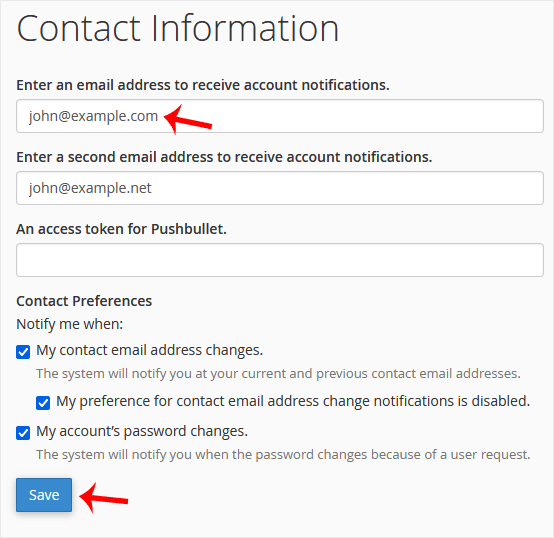
 

Your email address has been updated.


Was this answer helpful?

« Back

Take Your Host

Everything you came for.

Find your way to the right service or support channel. This is a navigation guide, not an AI chat or a support agent.

Do not enter passwords or payment details.

End this chat?

If you end the chat, the current conversation will be closed and a new empty chat will start.

TakeYourHost AIAsk about services, orders, domains, and support.
Screenshot preview Screenshot attached