Skip to content

How to Access Cloudflare From cPanel Print

  • 0


You can access and manage Cloudflare in cPanel. Follow this tutorial to learn how to access your Cloudflare account using cPanel.


1. Log in to your cPanel account.

2. In the Software section, click on Cloudflare.

cPanel-Cloudflare-icon.gif


3. Click on Sign in Here. If you do not have a Cloudflare account, create a new one.

Cloudflare-sign-in.gif


4. From the login page, enter your Cloudflare credentials and then click on Log in.
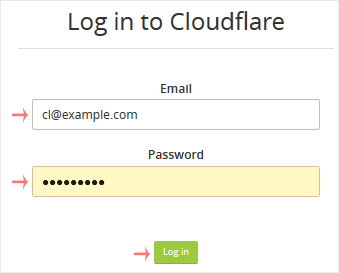
Cloudflare-login-page.gif


You can manage your account from the Cloudflare management area.


Was this answer helpful?

« Back

Take Your Host

Everything you came for.

Find your way to the right service or support channel. This is a navigation guide, not an AI chat or a support agent.

Do not enter passwords or payment details.

End this chat?

If you end the chat, the current conversation will be closed and a new empty chat will start.

TakeYourHost AIAsk about services, orders, domains, and support.
Screenshot preview Screenshot attached